Overview
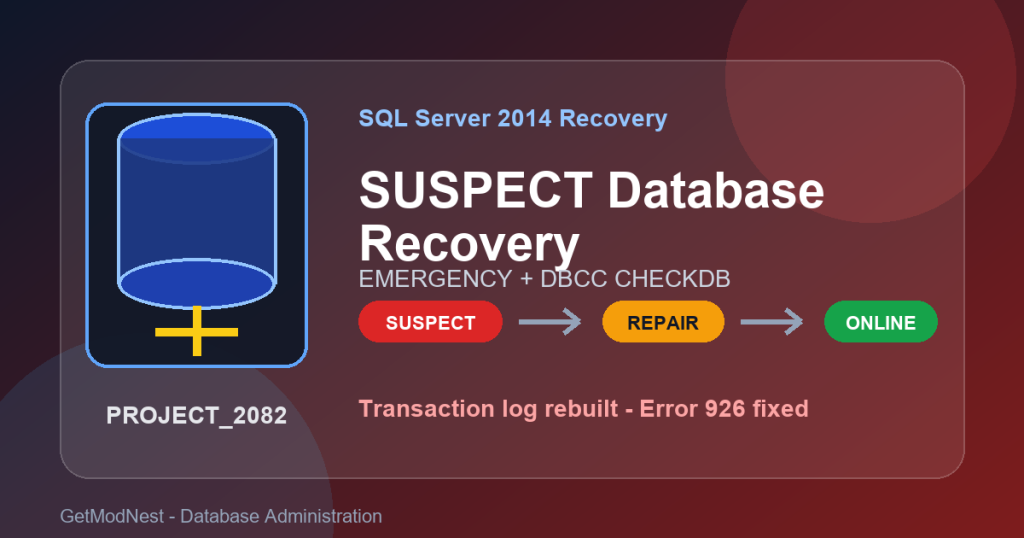
This article documents a real SQL Server SUSPECT database recovery case for a Microsoft SQL Server 2014 database named PROJECT_2082.
When the database was opened in SQL Server Management Studio, SQL Server returned error 926 and reported that the database had been marked SUSPECT by recovery.
Database 'PROJECT_2082' cannot be opened.
It has been marked SUSPECT by recovery.
See the SQL Server errorlog for more information.
The recovery process involved EMERGENCY mode, SINGLE_USER mode, DBCC CHECKDB, REPAIR_ALLOW_DATA_LOSS, transaction log rebuild, consistency validation, and finally restoring the database to ONLINE and MULTI_USER status.
Common Recovery Scenarios
- a SQL Server database is marked as
SUSPECT - SQL Server error 926 appears when running
USE database_name - the transaction log file (
.ldf) is damaged, missing, or unusable - SQL Server fails during crash recovery
DBCC CHECKDBis needed to repair database consistency- the database must be recovered from
SUSPECTtoONLINE
Environment
- Database platform: Microsoft SQL Server 2014
- Tool: SQL Server Management Studio
- Target database:
PROJECT_2082 - Initial database state:
SUSPECT - Main commands:
ALTER DATABASE,DBCC CHECKDB,sys.databases,sys.database_files,sp_spaceused
Problem: SQL Server Database Marked SUSPECT
In SQL Server Management Studio, the following command was executed:
USE PROJECT_2082;SQL Server returned:
Msg 926, Level 14, State 1
Database 'PROJECT_2082' cannot be opened.
It has been marked SUSPECT by recovery.
This means SQL Server failed to recover the database and marked it as SUSPECT. At this point, the database could not be opened normally.
Step 1: Confirm the Database State
SELECT name, state_desc
FROM sys.databases
WHERE name = 'PROJECT_2082';
Result:
PROJECT_2082 SUSPECTThis confirmed that SQL Server had placed the database in SUSPECT state. Common causes include a damaged transaction log, missing database files, storage failure, interrupted shutdown, or failed crash recovery.
Step 2: Set the Database to EMERGENCY Mode
ALTER DATABASE PROJECT_2082 SET EMERGENCY;EMERGENCY mode allows a DBA to access a damaged database with limited functionality. It can help bypass normal recovery and prepare the database for emergency repair.
Step 3: Switch to SINGLE_USER Mode
ALTER DATABASE PROJECT_2082
SET SINGLE_USER
WITH ROLLBACK IMMEDIATE;
This forces other sessions to disconnect and gives the repair process exclusive access.
Step 4: Run DBCC CHECKDB with REPAIR_ALLOW_DATA_LOSS
DBCC CHECKDB ('PROJECT_2082', REPAIR_ALLOW_DATA_LOSS);This is the key step in this recovery case, but it is also high risk. REPAIR_ALLOW_DATA_LOSS can remove or rebuild damaged structures to make the database consistent, but it may discard damaged records or pages.
In production, first copy all MDF, NDF, LDF, and backup files if possible. A valid backup restore is safer than emergency repair.
Important Event: Transaction Log Rebuilt
During repair, SQL Server printed this warning:
The log for database 'PROJECT_2082' has been rebuilt.
Transactional consistency has been lost.
This means the original transaction log file was damaged, missing, or unusable, and SQL Server rebuilt a new log file.
- the original
.ldflog was no longer valid - a new transaction log file was generated
- the original transaction recovery chain was broken
- point-in-time restore from the old log chain is no longer available
- uncommitted transactions around the crash time may have been lost
Step 5: Review DBCC CHECKDB Results
CHECKDB found 0 allocation errors
and 0 consistency errors
This was the most important success sign. It means the database allocation structures and logical consistency were valid after repair.
In this case, the main issue was not MDF data page corruption. The main issue was the transaction log recovery path.
Step 6: Confirm the Database Is ONLINE
SELECT
    name,
    state_desc,
    user_access_desc,
    recovery_model_desc
FROM sys.databases
WHERE name = 'PROJECT_2082';
Result:
PROJECT_2082
ONLINE
SINGLE_USER
SIMPLE| Field | Result |
|---|---|
state_desc |
ONLINE |
user_access_desc |
SINGLE_USER |
recovery_model_desc |
SIMPLE |
Step 7: Check Database File Status
SELECT
    name AS logical_name,
    physical_name,
    type_desc,
    size * 8 / 1024 AS size_MB,
    state_desc
FROM sys.database_files;| File | Type | Size |
|---|---|---|
PROJECT_2082_dat |
MDF | 9 MB |
PROJECT_2082_log |
LDF | 0 MB |
PROJECT_2082 |
FILESTREAM | 186 MB |
The key conclusion was that the LDF file had been rebuilt. The log file size was close to 0 MB, which indicated that the old transaction log had been lost or replaced.
Step 8: Check Space and Integrity Again
EXEC sp_spaceused;database_size = 9.94 MBDBCC CHECKDB ('PROJECT_2082') WITH NO_INFOMSGS;No error was reported. This confirmed that the database structure consistency had been restored.
Step 9: Restore MULTI_USER Access
ALTER DATABASE PROJECT_2082 SET MULTI_USER;SELECT name, user_access_desc
FROM sys.databases
WHERE name = 'PROJECT_2082';PROJECT_2082 MULTI_USERThe database had recovered normal concurrent access capability.
Step 10: Verify Database Usage and Tables
USE PROJECT_2082;This time it succeeded.
SELECT name FROM sys.tables;Business tables were still present:
DataFileInfo
DataFileSubstance
DataSetInfo
DataFileResultTable
ResultTableFormat
LinkFileMng
Business System Structure Analysis
Based on the table names, this database was not a simple website database. It looked more like a data processing and data management platform.
| Module | Purpose |
|---|---|
DataFile* |
file management |
DataSet* |
dataset management |
ResultTable* |
result data storage |
LinkFileMng |
relationship management |
ResultTableFormat |
output structure definition |
Root Cause Analysis
LDF damaged or missing
-> SQL Server recovery failed
-> database marked as SUSPECT
-> database could not be opened
The recovery path was:
EMERGENCY mode
+ SINGLE_USER mode
+ DBCC CHECKDB with REPAIR_ALLOW_DATA_LOSS
Final Recovery Result
| Item | Result |
|---|---|
| Database recovered | Yes |
| Database state | ONLINE |
| User access | MULTI_USER |
| Structural corruption remaining | No detected error |
DBCC CHECKDB passed |
Yes |
| Transaction log rebuilt | Yes |
| Transaction history lost | Yes |
| Crash-time uncommitted transactions may be lost | Possible |
| Business tables still exist | Yes |
Recommended Follow-Up Actions
- Take a full database backup immediately.
- Verify critical business tables and data.
- Review SQL Server error logs and Windows Event Viewer.
- Check disk, storage, and file permission problems.
- Rebuild the backup plan because the log chain was broken.
- Avoid using
REPAIR_ALLOW_DATA_LOSSas a routine repair method.
FAQ
What does SQL Server SUSPECT database mean?
A SUSPECT database means SQL Server could not recover the database successfully. It may involve damaged files, missing logs, failed recovery, or storage problems.
What does SQL Server error 926 mean?
Error 926 means the database cannot be opened because it has been marked SUSPECT by recovery.
Is REPAIR_ALLOW_DATA_LOSS safe?
No. It is a last-resort repair option and may remove damaged data or rebuild structures to make the database consistent.
What does “The log has been rebuilt” mean?
It means SQL Server could not use the original transaction log and created a new log file. Transactional consistency and the original log chain are lost.
Can data still be lost after CHECKDB shows no errors?
Yes. Transactions near the crash moment may already have been lost when the log was rebuilt.
Summary
This SQL Server SUSPECT database recovery case was not mainly caused by MDF data page corruption. The key issue was that the SQL Server transaction log file was damaged, missing, or unusable, causing SQL Server 2014 to mark the PROJECT_2082 database as SUSPECT.
By using EMERGENCY mode, SINGLE_USER mode, and DBCC CHECKDB ('PROJECT_2082', REPAIR_ALLOW_DATA_LOSS), SQL Server rebuilt the log file and restored the database to a consistent state.
ONLINE + MULTI_USERThe business tables still existed, and DBCC CHECKDB reported no remaining allocation or consistency errors. However, because the transaction log was rebuilt, transaction history was lost and some crash-time transactions may not have been preserved.
Need Help with SQL Server Database Recovery?
This note is based on a real SQL Server SUSPECT database recovery case involving SQL Server 2014, error 926, EMERGENCY mode, DBCC CHECKDB, REPAIR_ALLOW_DATA_LOSS, and transaction log rebuild.
If you need help with SQL Server SUSPECT recovery, damaged MDF or LDF files, database consistency checks, emergency repair, backup restore planning, database migration, or production database troubleshooting, GetModNest can provide practical recovery analysis and technical support.
Email: info@getmodnest.com