Troubleshooting a DBeaver SQL Syntax Error Near UNION When Querying SAP Tables
Overview
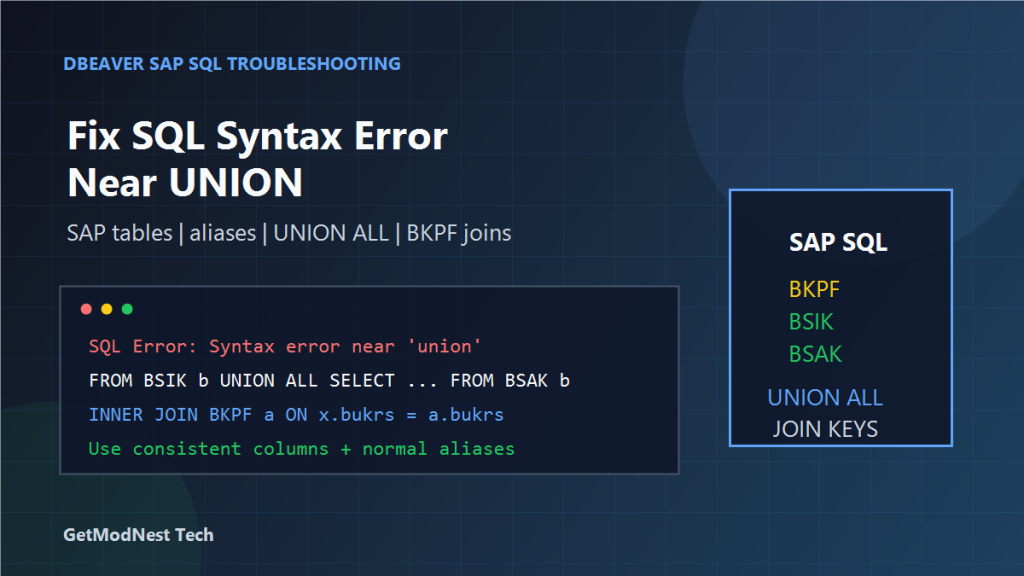
This article documents a troubleshooting case where a SQL query against SAP-related tables failed in DBeaver with a syntax error near UNION.
The query was intended to retrieve accounting document records from multiple SAP tables and join the final result with the header table.
The main error observed in DBeaver was similar to:
SQL Error: Syntax error near 'union'The issue was mainly related to SQL dialect compatibility, inconsistent alias usage, incorrect query structure around UNION, and the need to keep all UNION branches structurally identical.
Business Scenario
The goal was to query SAP accounting document data for a specific date range and combine records from multiple source tables.
The involved tables included:
BKPF
BSIK
BSAK
BSID
BSAD
BSIS
BSAS
Their general meanings are:
BKPF: accounting document header tableBSIK/BSAK: vendor line items, open / clearedBSID/BSAD: customer line items, open / clearedBSIS/BSAS: G/L account line items, open / cleared
Original Error in DBeaver
When executing the SQL in DBeaver, the following type of error appeared:
SQL Error: Syntax error near 'union'DBeaver is only the SQL client. The actual syntax is interpreted by the target database engine, so the same SQL may behave differently depending on whether the backend is SAP HANA, Oracle, MySQL, PostgreSQL, or another database.
Key Problem 1: Quoted Aliases Such as 'a' and 'b'
The original SQL used aliases in a form similar to:
FROM BSIK 'b'
INNER JOIN BKPF 'a'
  ON 'b'.bukrs = 'a'.bukrs
 AND 'b'.belnr = 'a'.belnr
 AND 'b'.gjahr = 'a'.gjahr
This is not portable SQL. In standard SQL, single quotes represent string literals, not identifiers.
A safer form is:
FROM BSIK b
INNER JOIN BKPF a
  ON b.bukrs = a.bukrs
 AND b.belnr = a.belnr
 AND b.gjahr = a.gjahr
For simple aliases, it is usually better to avoid quotes entirely.
Key Problem 2: UNION Must Combine Compatible SELECT Lists
Each branch of a UNION must return the same number of columns in the same order and with compatible data types.
Valid structure:
SELECT b.bukrs, b.belnr, b.gjahr
FROM BSIK b

UNION

SELECT b.bukrs, b.belnr, b.gjahr
FROM BSAK b
Invalid structure:
SELECT b.bukrs, b.belnr, b.gjahr
FROM BSIK b

UNION

SELECT b.bukrs, b.belnr
FROM BSAK b
The second query returns fewer columns, which can produce column mismatch or syntax-related messages near UNION.
Key Problem 3: Put UNION Inside a Derived Table Before Joining
A reliable pattern is:
SELECT
  a.mandt,
  a.bukrs,
  a.belnr,
  a.gjahr,
  x.budat
FROM BKPF a
INNER JOIN (
  SELECT b.mandt, b.bukrs, b.belnr, b.gjahr, b.budat
  FROM BSIK b
  WHERE b.mandt = '300'
    AND b.budat BETWEEN '20180101' AND '20180115'

  UNION

  SELECT b.mandt, b.bukrs, b.belnr, b.gjahr, b.budat
  FROM BSAK b
  WHERE b.mandt = '300'
    AND b.budat BETWEEN '20180101' AND '20180115'
) x
  ON x.mandt = a.mandt
 AND x.bukrs = a.bukrs
 AND x.belnr = a.belnr
 AND x.gjahr = a.gjahr;
This separates the logic into two layers: first build a unified line-item result set, then join it to BKPF.
Key Problem 4: Join Conditions Must Use the Correct SAP Key Fields
For accounting document data, the join between line-item tables and BKPF usually requires:
MANDT
BUKRS
BELNR
GJAHR
A typical join condition is:
ON x.mandt = a.mandt
AND x.bukrs = a.bukrs
AND x.belnr = a.belnr
AND x.gjahr = a.gjahr
Using only part of the key may return duplicate or incorrect records.
Key Problem 5: Date Conditions Must Match the Target Database Type
The notes used a filter similar to:
b.budat >= 20180101
AND b.budat <= 20180115
A safer text-style condition is:
b.budat BETWEEN '20180101' AND '20180115'If the target database stores BUDAT as a real date, use the correct date literal or conversion function for that database.
Recommended Rewrite Pattern
SELECT
  a.mandt,
  a.bukrs,
  a.belnr,
  a.gjahr,
  a.blart,
  a.bldat,
  a.budat,
  x.source_table
FROM BKPF a
INNER JOIN (
  SELECT b.mandt, b.bukrs, b.belnr, b.gjahr, b.budat, 'BSIK' AS source_table
  FROM BSIK b
  WHERE b.mandt = '300'
    AND b.budat BETWEEN '20180101' AND '20180115'

  UNION ALL

  SELECT b.mandt, b.bukrs, b.belnr, b.gjahr, b.budat, 'BSAK' AS source_table
  FROM BSAK b
  WHERE b.mandt = '300'
    AND b.budat BETWEEN '20180101' AND '20180115'

  UNION ALL

  SELECT b.mandt, b.bukrs, b.belnr, b.gjahr, b.budat, 'BSID' AS source_table
  FROM BSID b
  WHERE b.mandt = '300'
    AND b.budat BETWEEN '20180101' AND '20180115'

  UNION ALL

  SELECT b.mandt, b.bukrs, b.belnr, b.gjahr, b.budat, 'BSAD' AS source_table
  FROM BSAD b
  WHERE b.mandt = '300'
    AND b.budat BETWEEN '20180101' AND '20180115'
) x
  ON x.mandt = a.mandt
 AND x.bukrs = a.bukrs
 AND x.belnr = a.belnr
 AND x.gjahr = a.gjahr;
This query uses unquoted aliases, a derived table for the UNION result, identical columns in every branch, and explicit SAP document key joins.
UNION vs UNION ALL
Use UNION when duplicate rows must be removed.
Use UNION ALL when all rows should be preserved and performance matters.
For troubleshooting and audit-style SAP queries, UNION ALL is often a better starting point because it does not hide duplicates.
Step-by-Step Troubleshooting Method
Step 1: Test Each SELECT Separately
SELECT b.mandt, b.bukrs, b.belnr, b.gjahr, b.budat
FROM BSIK b
WHERE b.mandt = '300'
  AND b.budat BETWEEN '20180101' AND '20180115';
Step 2: Remove Quoted Aliases
Change aliases such as 'b'.bukrs and 'a'.belnr to b.bukrs and a.belnr.
Step 3: Make Every UNION Branch Identical
Check that every SELECT has the same number of columns, same column order, compatible data types, and consistent aliases.
Step 4: Wrap the UNION in Parentheses
FROM (
  SELECT ... FROM BSIK
  UNION ALL
  SELECT ... FROM BSAK
) x
Step 5: Add the INNER JOIN After the Derived Table Works
x.mandt = a.mandt
AND x.bukrs = a.bukrs
AND x.belnr = a.belnr
AND x.gjahr = a.gjahr
Root Cause Analysis
- SAP table aliases were written with single quotes, which many SQL engines treat as string literals.
- The
UNIONpart was not isolated as a derived table before applyingJOINlogic. - The columns in different
UNIONbranches needed to be kept strictly consistent. - DBeaver passed the SQL to the database, but the backend SQL dialect was less tolerant of this alias and
UNIONstyle.
Final Conclusion
The DBeaver error near UNION was not simply a DBeaver bug.
The real fix was to rewrite the SQL in a more standard and database-compatible form:
- use normal aliases such as
a,b, andx - avoid single quotes around aliases
- keep every
UNIONbranch structurally identical - wrap the
UNIONquery in a derived table - join the final result to
BKPFusing the full SAP document key
This approach makes the SQL easier to parse, easier to debug, and more portable across SAP-related database environments.
Need Help with a Similar Problem or Project?
This note is based on a real troubleshooting, configuration, or development workflow. If you need help with databases, Linux servers, web applications, desktop software, iOS and Android apps, automation scripts, deployment, or AI development environments, GetModNest can provide practical technical support, troubleshooting, and development assistance.
Email: info@getmodnest.com