Overview
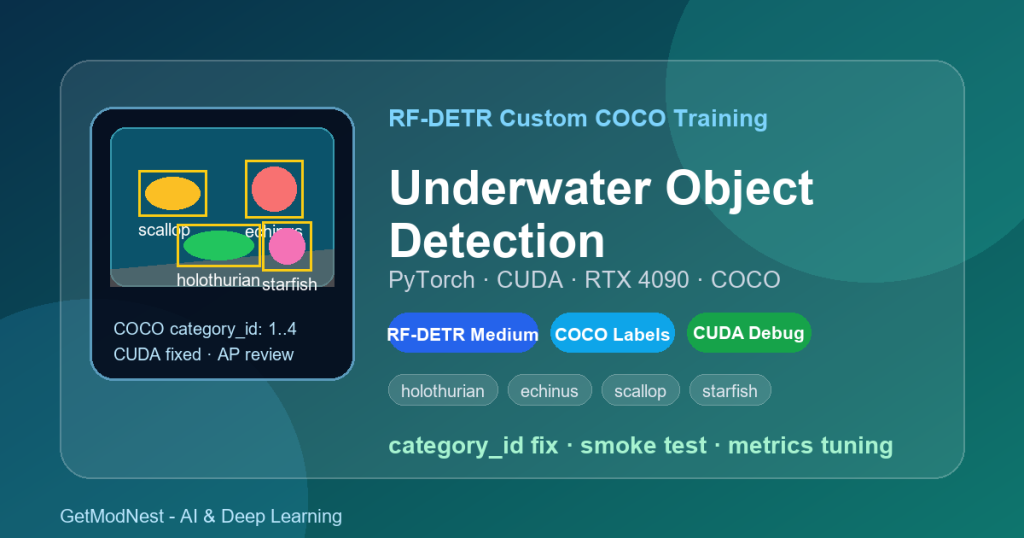
This article documents a practical RF-DETR custom COCO training workflow on Windows for underwater object detection.
The target task was to detect underwater organisms such as holothurian, echinus, scallop, and starfish from underwater images. The workflow covered COCO dataset conversion, RF-DETR installation, PyTorch CUDA setup, category ID validation, CUDA error debugging, training parameter tuning, and metric review.
underwater images -> COCO annotations -> RF-DETR Medium -> PyTorch CUDA -> training -> debugging -> evaluationRF-DETR is a DETR-style real-time object detection model. It can work on custom datasets, but it is sensitive to COCO label correctness, category IDs, bounding boxes, and training configuration.
Application Direction
This case is not a generic object detection demo. It is focused on underwater organism detection and marine image analysis.
Possible applications include:
- underwater object detection
- marine biology image analysis
- sea cucumber, sea urchin, scallop, and starfish detection
- underwater robot vision
- marine ranch monitoring
- custom COCO dataset training
- scientific image dataset processing
Environment
OS: Windows
Python environment: Anaconda
Python: 3.10.19
Model: RF-DETR Medium
Framework: PyTorch
Dataset format: COCO
GPU: NVIDIA RTX 4090 24GB
CUDA: 12.1
PyTorch: torch 2.9.0 + cu121
The RF-DETR repository was installed from GitHub:
git clone https://github.com/roboflow/rf-detr.git
cd rf-detr
pip install -e .
Then the import was verified:
from rfdetr import RFDETRMediumDataset and Classes
The dataset was converted from YOLO-style annotations to COCO format.
The target classes included:
holothurian
echinus
scallop
starfish| Class | Meaning |
|---|---|
holothurian |
sea cucumber |
echinus |
sea urchin |
scallop |
scallop |
starfish |
starfish |
Dataset path:
D:/zzH/DVD-COCODataset split:
train: 6673 images, about 2.52GB
valid: 1102 images, about 422MB
test: 1102 images, about 422MB
Typical COCO structure:
DVD-COCO/
  train/
  valid/
  test/
  train/_annotations.coco.json
  valid/_annotations.coco.json
  test/_annotations.coco.json
Underwater Data Challenges
The dataset had several practical challenges:
- low underwater contrast
- color cast and lighting change
- small targets
- object overlap and occlusion
- blurred regions
- visually similar categories
- background interference from sand, rocks, and plants
Small targets were especially difficult. Some objects may be smaller than about 150 pixels in width or height, so image resolution and box quality matter a lot.
Why RF-DETR Medium Was Used
The selected model was:
RF-DETR MediumRF-DETR Medium was a practical balance between model capacity and GPU memory usage on an RTX 4090 24GB. Larger models may improve accuracy, but they can increase training time and make debugging harder when labels are still unstable.
COCO Label Check
Before training, the COCO annotation files must be checked carefully.
Important checks:
- image files exist
- annotation JSON files exist
- all referenced images are available
- category IDs are valid
- bounding boxes are valid
- train, valid, and test splits use consistent categories
A key rule for this RF-DETR training case was:
category_id should start from 1
category_id should not exceed the number of classes
For four classes, the valid IDs should be:
1, 2, 3, 4not:
0, 1, 2, 3CUDA Error: device-side assert triggered
One important error during training was:
CUDA error: device-side assert triggered
Assertion: sizes[i] <= index && index < sizes[i] && index out of bounds failed
The root cause was invalid COCO category IDs. The dataset had category IDs starting from 0, which caused an index-out-of-bounds failure in PyTorch.
The fix was to repair the COCO annotations:
category_id: 0 -> 1
category_id: 1 -> 2
category_id: 2 -> 3
category_id: 3 -> 4
After fixing the dataset category IDs, training could continue.
Quick Smoke Test
Before long training, a short run was used to verify the pipeline.
from rfdetr import RFDETRMedium

model = RFDETRMedium()
model.train(
    dataset_dir="D:/zzH/DVD-COCO",
    epochs=5,
    batch_size=8,
    grad_accum_steps=2,
    lr=0.0001,
    output_dir="D:/zzH/rf-detr-develop/rfdetr/output",
    save_checkpoint_interval=1,
    tensorboard=True,
)
This quick test checks whether:
- the dataset can be loaded
- category IDs are valid
- GPU memory is enough
- CUDA assert errors are gone
- checkpoints can be saved
- validation can run
Full Training Configuration
After the quick test, the full training configuration was expanded:
from rfdetr import RFDETRMedium

model = RFDETRMedium()
model.train(
    dataset_dir="D:/zzH/DVD-COCO",
    epochs=100,
    batch_size=16,
    grad_accum_steps=2,
    lr=0.0001,
    output_dir="D:/zzH/rf-detr-develop/rfdetr/output",
    save_checkpoint_interval=2,
    save_best_only=False,
    start_epoch=0,
)
The notes recorded that one longer run trained for about 10 hours and reached around 26 epochs. Training time depends on GPU, image resolution, dataset size, validation frequency, and checkpoint saving interval.
Windows Multiprocessing Fix
On Windows, training scripts should use a protected main entry point:
if __name__ == "__main__":
    import multiprocessing
    multiprocessing.freeze_support()
    main()
This avoids multiprocessing startup problems when PyTorch DataLoader workers are used.
Metrics to Watch
Important metrics included:
class_error
loss_ce
cardinality_error_unscaled
AP@50
AP@50:95
AR@100| Metric | Meaning |
|---|---|
class_error |
classification error |
loss_ce |
classification loss |
cardinality_error_unscaled |
object count prediction error |
AP@50 |
precision at IoU 0.50 |
AP@50:95 |
stricter COCO average precision |
AR@100 |
average recall with up to 100 detections |
One recorded result was approximately:
class_error: 32.95
loss_ce: 0.9986
cardinality_error_unscaled: 389.8
Early AP values were still very low:
AP@50:95: around 0.001
AP@50: around 0.003 or lower
AR@100: around 0.02 to 0.06
This means the model had started training, but detection performance was still weak and needed more tuning.
Hyperparameter Tuning Notes
The notes suggested these tuning directions:
learning rate: try 0.0001 or 0.00001
epochs: try 100 to 300 epochs
batch_size: use 16 if memory allows, otherwise reduce to 8
grad_accum_steps: use 2 to simulate a larger effective batch
checkpoint interval: save every few epochs
If AP remains near zero after many epochs, check labels before changing the model.
Dataset Quality Review
For underwater detection, dataset quality is often more important than model size.
Check:
- every class name is correct
- every object is annotated
- small objects are annotated consistently
- boxes tightly cover the objects
- category IDs match the class order
- train and validation distributions are similar
- validation images are representative
Useful preprocessing may include:
- color correction
- contrast enhancement
- denoising
- image resizing strategy
- small-object augmentation
- balanced sampling across categories
Common Problems and Fixes
CUDA device-side assert triggered
Most likely cause:
invalid category_id in COCO annotationsFix:
make category_id start from 1
make category_id stay within class count
check train, valid, and test annotation files
Loss does not decrease
Possible causes:
- learning rate is too high
- labels are incorrect
- boxes are inaccurate
- dataset is too noisy
- categories are visually similar
- validation distribution is different
AP stays near zero
Possible causes:
- training is too short
- model has not converged
- category IDs are wrong
- box format is wrong
- annotations are incomplete
- image resolution is too low for small objects
GPU memory is not enough
Try:
reduce batch_size
increase grad_accum_steps
reduce image resolution
use a smaller RF-DETR variant
Recommended Training Workflow
A stable workflow is:
1. convert YOLO annotations to COCO format
2. verify category_id starts from 1
3. check image paths and bounding boxes
4. run a 5-epoch smoke test
5. fix CUDA or DataLoader errors
6. train for 100 epochs
7. monitor loss, class_error, AP, and AR
8. inspect failed detections visually
9. improve labels and preprocessing
10. continue training or adjust hyperparameters
Final Conclusion
RF-DETR can be trained on a custom COCO dataset for underwater object detection on Windows with PyTorch and CUDA, but dataset correctness is critical.
The key lessons are:
COCO category_id must be valid
start with a short smoke test
fix CUDA assert errors before long training
use the Windows multiprocessing entry point
watch class_error, loss_ce, AP, and AR together
small underwater objects require careful label review
low AP in early epochs does not always mean failure
For this underwater organism detection task, the first successful milestone was not high AP, but a stable RF-DETR training pipeline that could load the dataset, avoid CUDA label errors, train on RTX 4090, save checkpoints, and produce validation metrics.
Need Help with Custom Object Detection Training?
This note is based on a real RF-DETR custom COCO training workflow for underwater object detection involving PyTorch, CUDA, category ID repair, RF-DETR Medium, and training metric analysis.
If you need help with custom object detection, COCO dataset conversion, YOLO-to-COCO annotation repair, RF-DETR training, CUDA debugging, underwater image detection, model evaluation, or AI deployment, GetModNest can provide practical technical support and development assistance.
Email: info@getmodnest.com