Overview
This article documents a troubleshooting and recovery attempt for a MySQL 8.0 database on Ubuntu.
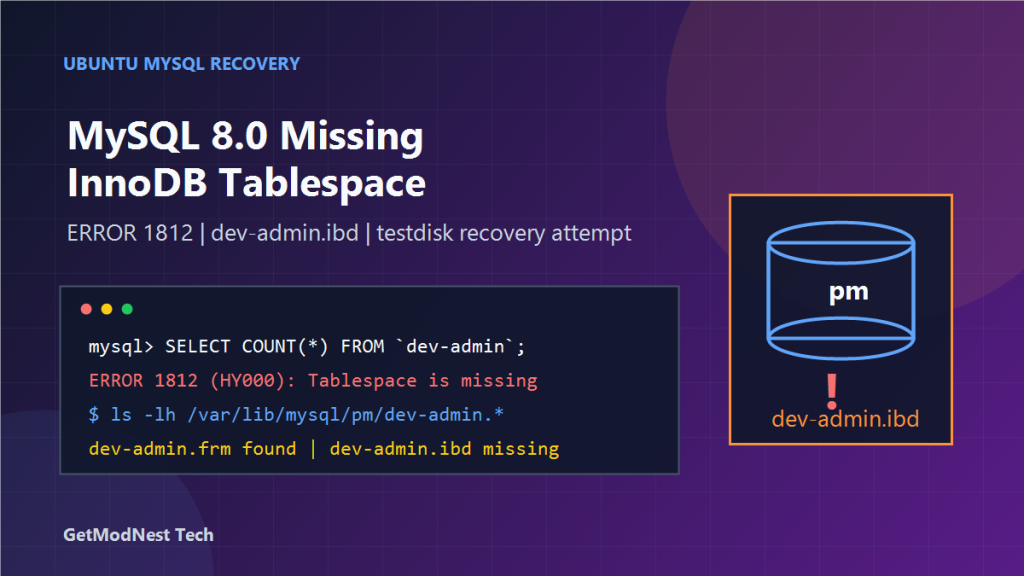
The database name was pm, and one important table was dev-admin. The table definition still existed in MySQL metadata, but the corresponding InnoDB tablespace file was missing from the data directory.
The main error was:
ERROR 1812 (HY000): Tablespace is missing for table `pm`.`dev-admin`The investigation confirmed that MySQL could still see the table definition, but it could not access the table data because the physical .ibd file was lost or damaged.
Environment
- OS: Ubuntu
- Database: MySQL 8.0
- Database name:
pm - Problem table:
dev-admin - MySQL data directory:
/var/lib/mysql - Expected files:
/var/lib/mysql/pm/dev-admin.frmand/var/lib/mysql/pm/dev-admin.ibd
Problem Description
After MySQL was started, the database pm was present and the table dev-admin appeared to exist.
However, when querying the table, MySQL returned:
ERROR 1812 (HY000): Tablespace is missing for table `pm`.`dev-admin`This means that the table metadata existed, but the corresponding InnoDB tablespace file could not be found or opened.
Step 1: Stop MySQL and Check File Ownership
Before checking the data directory, MySQL was stopped:
sudo systemctl stop mysqlThen ownership was corrected:
sudo chown -R mysql:mysql /var/lib/mysqlAfter that, MySQL was started again:
sudo systemctl start mysqlThe same error still appeared, so the issue was not simply caused by incorrect file ownership.
Step 2: Query the Table from MySQL
Inside MySQL, the database was selected and a simple query was executed:
USE pm;
SELECT COUNT(*) FROM `dev-admin` LIMIT 1;
The result was:
ERROR 1812 (HY000): Tablespace is missing for table `pm`.`dev-admin`This confirmed that the table definition was recognized by MySQL, but the InnoDB table data could not be loaded.
Step 3: Check the Physical Table Files
The table files were checked in the MySQL data directory:
ls -lh /var/lib/mysql/pm/dev-admin.*The observed result showed a .frm file, for example:
-rw-r----- 1 mysql mysql 166K ... /var/lib/mysql/pm/dev-admin.frmHowever, the expected .ibd file was not available.
For an InnoDB table using file-per-table tablespaces, the .ibd file is the critical file that stores table data and indexes.
Step 4: Try to Drop the Broken Table
Because the table was already unusable, one attempted approach was to remove the broken table metadata from inside MySQL:
USE pm;
DROP TABLE IF EXISTS `dev-admin`;
The result was:
Query OK, 0 rows affectedThis means MySQL accepted the statement, but it does not mean that the lost table data was recovered. DROP TABLE only removes metadata and does not restore a deleted .ibd file.
Step 5: Attempt to Copy or Back Up the Missing .ibd File
A backup attempt was made with a command similar to:
sudo cp /var/lib/mysql/pm/dev-admin.ibd /root/dev-admin-backup.ibdThe system returned an error similar to:
cp: cannot stat '/var/lib/mysql/pm/dev-admin.ibd': No such file or directoryThis confirmed that the .ibd file was already missing from the expected directory.
Step 6: Use File Recovery Tools as a Last Resort
Because the .ibd file was missing, a filesystem-level recovery tool was considered. One option was testdisk:
sudo apt install testdisk -y
sudo testdisk
During disk selection, the system disk was identified as something like:
Disk /dev/sda - 42 TB / 43 TiB - RAID 530-8iThe recovery attempt focused on:
/var/lib/mysql/pm/The goal was to search for a previously deleted file named:
dev-admin.ibdHowever, no usable dev-admin.ibd file was found.
Why the Table Could Not Be Recovered Normally
The core issue was that the table metadata and the physical data file were no longer consistent.
For an InnoDB file-per-table table, the .ibd file contains table rows, indexes, InnoDB pages, and tablespace information. The .frm file or MySQL metadata alone does not contain the actual row data.
Therefore, if dev-admin.ibd is permanently deleted and there is no valid backup, MySQL cannot reconstruct the table data from metadata alone.
Root Cause Analysis
The likely cause was accidental deletion or loss of the InnoDB tablespace file:
/var/lib/mysql/pm/dev-admin.ibdThe evidence was:
- MySQL returned
ERROR 1812, which directly indicates a missing tablespace. ls -lh /var/lib/mysql/pm/dev-admin.*showed metadata but not the required.ibdfile.cpfailed withNo such file or directorywhen trying to copydev-admin.ibd.- File recovery tools did not find a usable deleted copy of the
.ibdfile.
What Worked
- confirming that MySQL could start
- correcting ownership with
chown -R mysql:mysql /var/lib/mysql - querying the table to reproduce
ERROR 1812 - checking the physical files under
/var/lib/mysql/pm/ - confirming that
dev-admin.ibdwas missing - attempting filesystem recovery with
testdisk
What Did Not Work
- restarting MySQL
- changing ownership of
/var/lib/mysql - querying the table from SQL
- dropping the broken table metadata
- trying to copy a missing
.ibdfile - scanning the disk when no recoverable
dev-admin.ibdfile was found
Important Notes About DROP TABLE
Running:
DROP TABLE IF EXISTS `dev-admin`;may remove the broken metadata and allow the table to be recreated, but it does not restore lost data.
If the goal is data recovery, avoid destructive SQL until backups, filesystem snapshots, and deleted-file recovery options have been checked.
Recommended Recovery Strategy
- Stop MySQL to avoid further writes:
sudo systemctl stop mysql - Take a full copy of the current data directory if possible:
sudo cp -a /var/lib/mysql /root/mysql-datadir-backup - Check whether the
.ibdfile exists:ls -lh /var/lib/mysql/pm/dev-admin.* - If the
.ibdfile exists, preserve it immediately:sudo cp /var/lib/mysql/pm/dev-admin.ibd /root/dev-admin-backup.ibd - If the
.ibdfile is missing, try filesystem-level recovery tools such astestdiskor restore from backup. - If a valid
.ibdfile is recovered, perform recovery on a separate MySQL instance, not directly on production. - If no
.ibdfile or backup exists, the table data cannot be recovered by normal MySQL methods.
Prevention Recommendations
- enable regular logical backups with
mysqldump - enable physical backups with tools such as Percona XtraBackup
- monitor and protect
/var/lib/mysqlfrom manual deletion - avoid operating directly inside the MySQL data directory unless absolutely necessary
- use filesystem snapshots before high-risk maintenance
- test backup restoration regularly
- restrict shell access and permissions for production database servers
Final Conclusion
This case was a typical InnoDB missing tablespace problem.
The table pm.dev-admin still existed in MySQL metadata, but the required data file was missing:
/var/lib/mysql/pm/dev-admin.ibdBecause of that, MySQL returned:
ERROR 1812 (HY000): Tablespace is missing for table `pm`.`dev-admin`The key lesson is that InnoDB metadata is not enough to recover table data. For file-per-table InnoDB tables, the .ibd file is essential.
If the .ibd file is deleted and no backup or filesystem recovery copy exists, the table data is normally unrecoverable.
Need Help with a Similar Problem or Project?
This note is based on a real troubleshooting, configuration, or development workflow. If you need help with databases, Linux servers, web applications, desktop software, iOS and Android apps, automation scripts, deployment, or AI development environments, GetModNest can provide practical technical support, troubleshooting, and development assistance.
Email: info@getmodnest.com