Overview
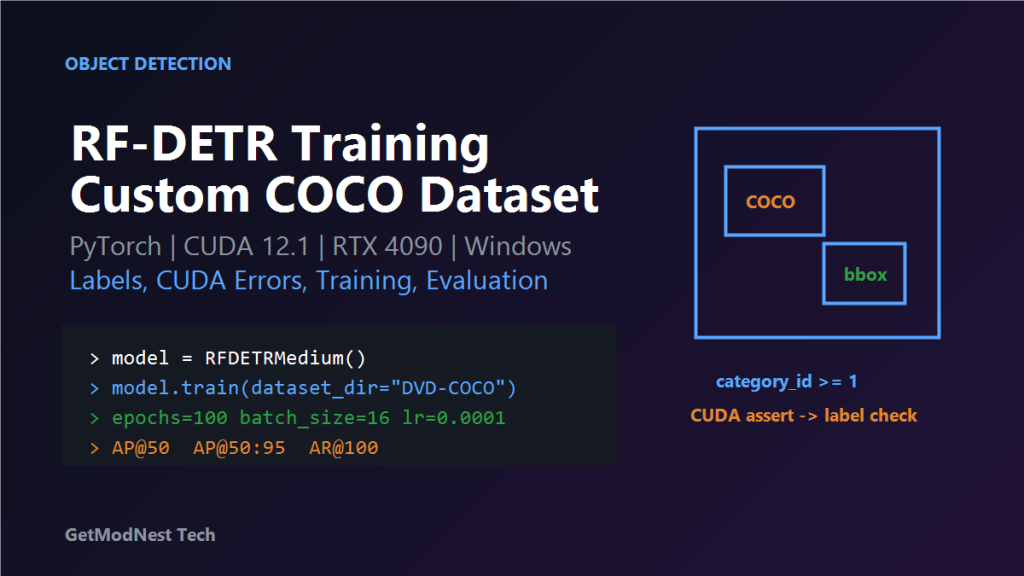
This article records a practical RF-DETR object detection training workflow on Windows with a custom COCO-format dataset.
COCO dataset -> RF-DETR -> PyTorch CUDA -> training -> evaluationEnvironment
OS: Windows
Python: Anaconda
Model: RF-DETR Medium
Dataset: Custom COCO
GPU: RTX 4090 24GB
CUDA: 12.1
PyTorch: torch 2.9.0 + cu121
Dataset
train: 6673 images, about 2.52GB
valid: 1102 images, about 422MB
test: 1102 images, about 422MB
path: D:/zzH/DVD-COCO
COCO Label Check
A common error is invalid category IDs.
CUDA error: device-side assert triggered
index out of bounds failed
category_id should start from 1
category_id should not exceed class count
bounding boxes should be validInstall RF-DETR
git clone https://github.com/roboflow/rf-detr.git
cd rf-detr
pip install -e .
Training Script
from rfdetr import RFDETRMedium

model = RFDETRMedium()
model.train(
    dataset_dir="D:/zzH/DVD-COCO",
    epochs=100,
    batch_size=16,
    grad_accum_steps=2,
    lr=0.0001,
    output_dir="D:/zzH/rfdetr/output",
)
Windows Fix
if __name__ == "__main__":
    import multiprocessing
    multiprocessing.freeze_support()
    main()
Metrics
class_error
loss_ce
AP@50
AP@50:95
AR@100
Troubleshooting
- CUDA assert: check category_id and annotations.
- Loss not decreasing: check labels, boxes, learning rate, and dataset quality.
- GPU memory issue: reduce batch size or increase grad_accum_steps.
Final Conclusion
RF-DETR can be trained on custom COCO data on Windows, but label correctness is critical. Start with a short smoke test, then tune batch size, learning rate, and epochs.
Need Help with a Similar Problem or Project?
This note is based on a real troubleshooting, configuration, or development workflow. If you need help with databases, Linux servers, web applications, desktop software, iOS and Android apps, automation scripts, deployment, or AI development environments, GetModNest can provide practical technical support, troubleshooting, and development assistance.
Email: info@getmodnest.com