Overview
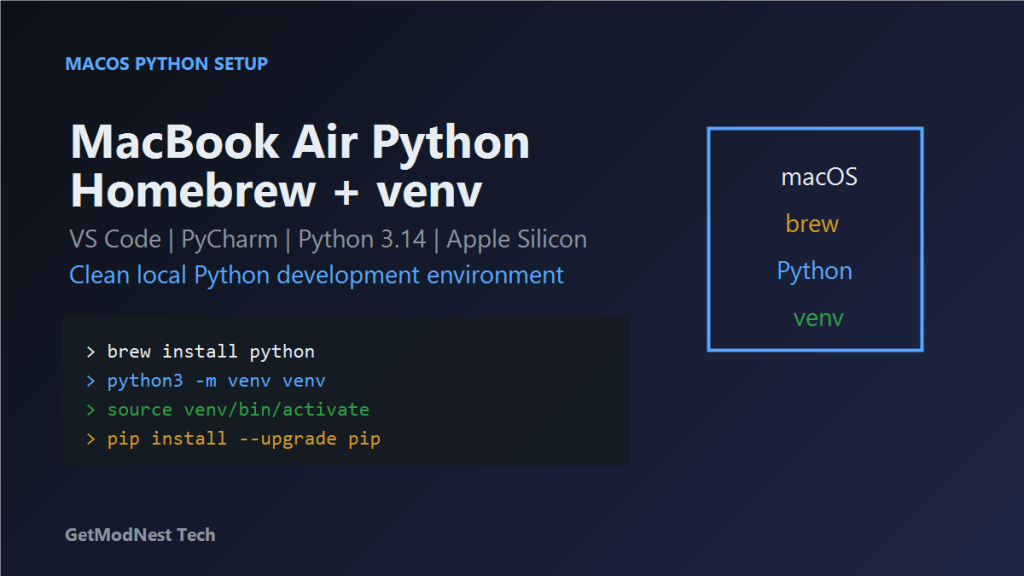
This article documents a Python development environment setup on a MacBook Air using Homebrew, Python, VS Code, PyCharm, and venv.
macOS -> Homebrew -> Python 3.14 -> venv -> VS Code / PyCharm -> test scriptSystem Environment
Device: MacBook Air
OS: macOS 26.1
Kernel: Darwin 25.1.0
Architecture: ARM64 / Apple Silicon
System Python: Python 3.9.6
Useful commands:
sw_vers
uname -a
python3 --version
Install Homebrew
/bin/bash -c "$(curl -fsSL https://gitee.com/ineo6/homebrew-install/raw/master/install.sh)"Configure shell environment:
eval "$(/opt/homebrew/bin/brew shellenv)"Verify:
brew -vOn Apple Silicon Macs, Homebrew is usually installed under:
/opt/homebrewInstall Python
brew install pythonPython path:
/opt/homebrew/bin/python3Verify:
python3 --version
which python3
Install IDEs
Visual Studio Code
brew install --cask visual-studio-code
open -a "Visual Studio Code"
PyCharm Community Edition
brew install --cask pycharm-ce
open -a "PyCharm CE"
Create a Python Project
mkdir ~/pythonproject
cd ~/pythonproject
python3 -m venv venv
source venv/bin/activate
After activation, the terminal prompt should show:
(venv)Upgrade pip
pip install --upgrade pipTest the Environment
Create test-env.py:
import sys

print("Python executable:", sys.executable)
print("Python version:", sys.version)
Run:
python test-env.pyThe executable path should point to:
~/pythonproject/venv/bin/pythonConfigure VS Code
code ~/pythonprojectSelect interpreter:
Command Palette -> Python: Select Interpreter -> ./venv/bin/pythonRecommended extensions:
Python
Pylance
Jupyter
Configure PyCharm
Open the project directory:
~/pythonprojectSelect interpreter:
~/pythonproject/venv/bin/pythonCommon Problems
Homebrew Command Not Found
eval "$(/opt/homebrew/bin/brew shellenv)"Python Still Uses System Version
which python3
python3 --version
source venv/bin/activate
which python
python --version
pip Installs Packages Globally
Activate venv before installing packages:
source venv/bin/activate
pip install package-name
VS Code Does Not Use venv
Use Python: Select Interpreter and choose ./venv/bin/python.
Final Conclusion
This setup uses Homebrew to install a separate Python version and venv to isolate project dependencies. It is a clean workflow for Python development on macOS and Apple Silicon Macs.
Need Help with a Similar Problem or Project?
This note is based on a real troubleshooting, configuration, or development workflow. If you need help with databases, Linux servers, web applications, desktop software, iOS and Android apps, automation scripts, deployment, or AI development environments, GetModNest can provide practical technical support, troubleshooting, and development assistance.
Email: info@getmodnest.com